FireDrum Studios produced a high-fidelity 3D product animation for the Proton Charger, blending photorealistic rendering with abstract technical visualizations. As a premier 3D Animation Studio in Dhaka, we utilized advanced shader workflows in Blender to visualize internal safety mechanics like over-voltage protection and sleek industrial design.
[Client]
Pran-RFl
[Year]
2024
[Services]
3D Animation, 3D Modeling, Compositing, VFX
[Catagory]
3D Animation

Visualizing the Proton Charger
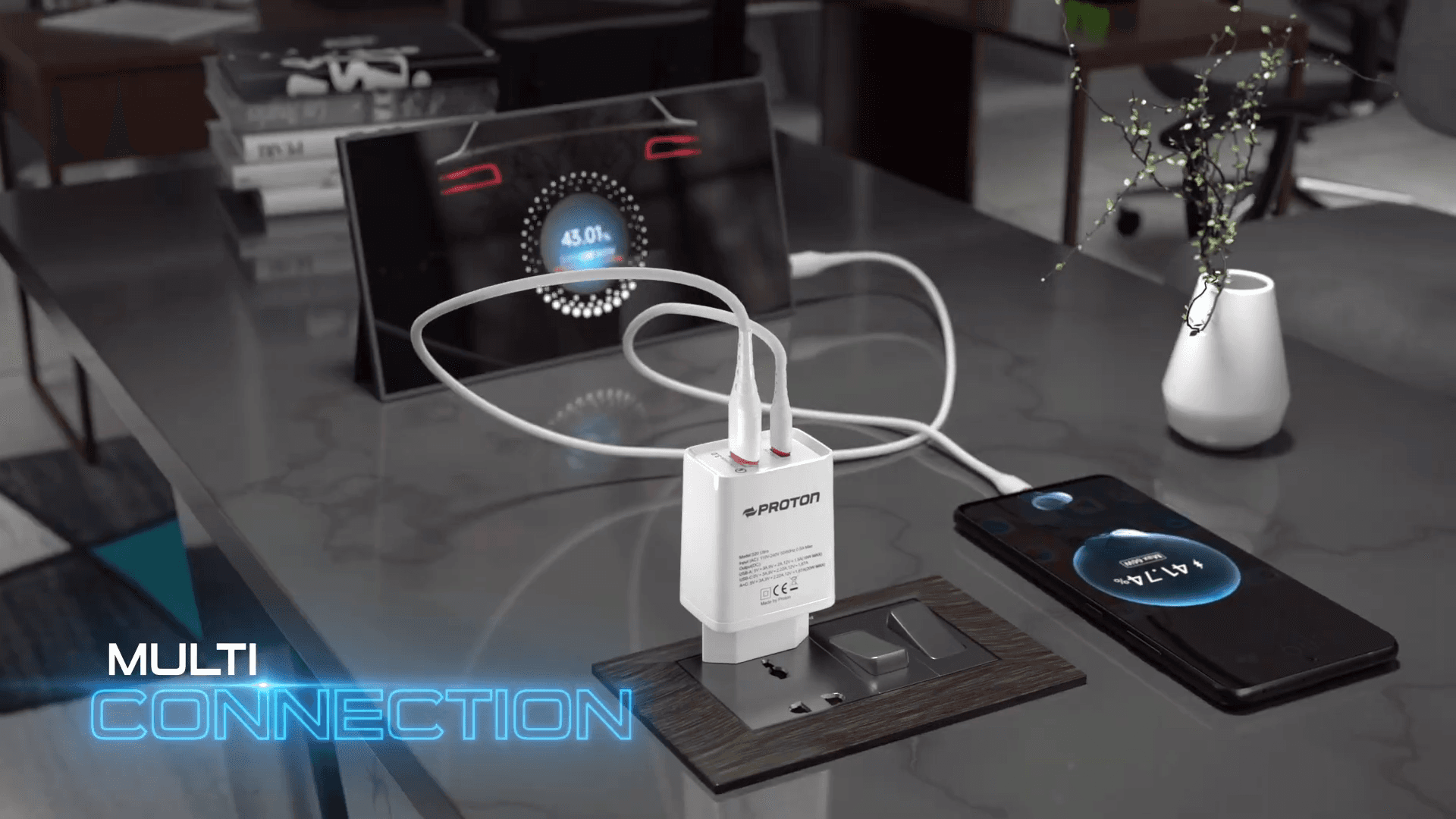
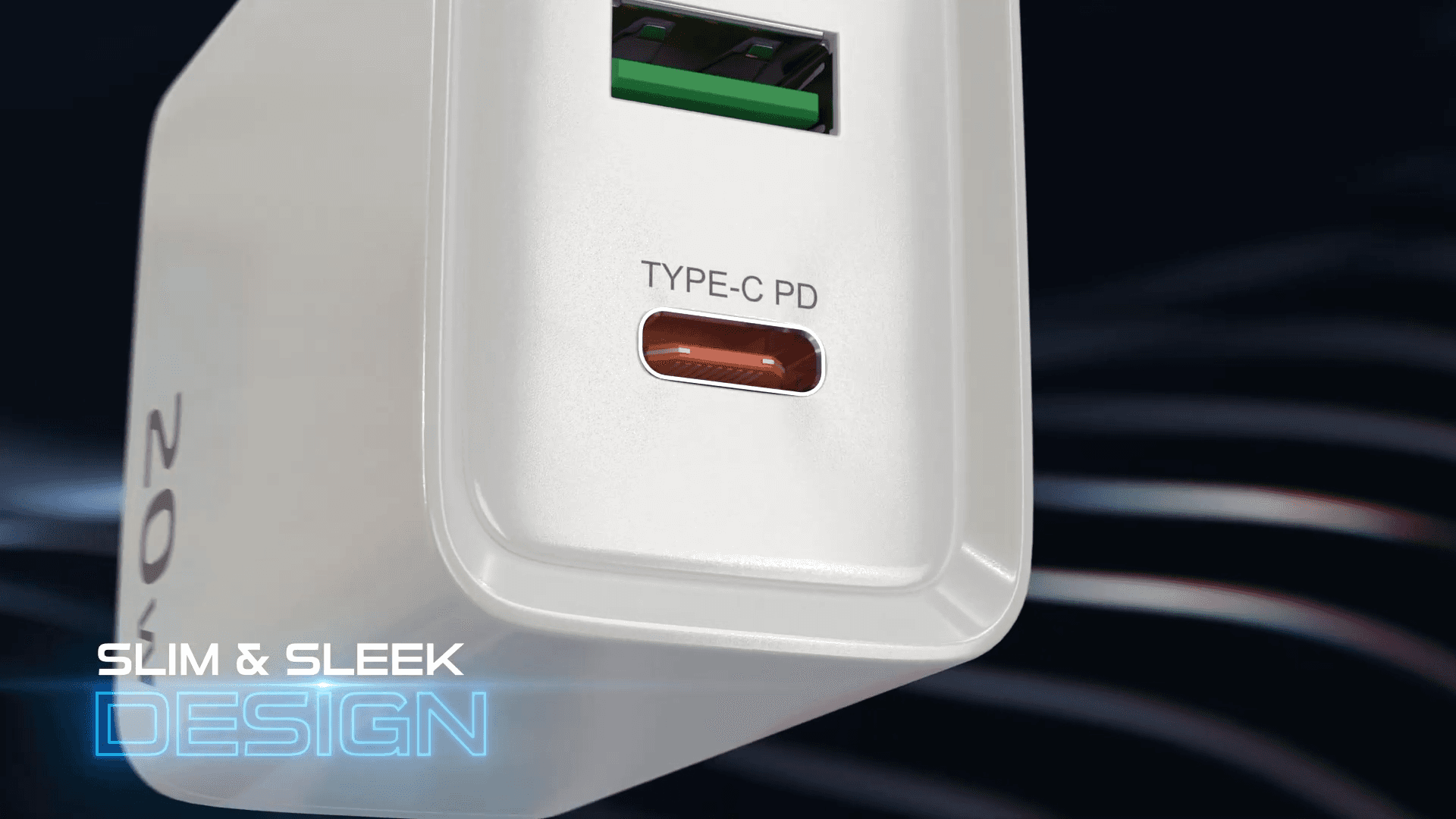
When we got the brief for the Proton Charger, the client had two very different priorities. They wanted the device to look like a high-end lifestyle accessory—something "Slim & Sleek"—but they also needed to highlight heavy technical features like "Over Voltage Protection."
Usually, you get one or the other. You either get a moody, cinematic product video, or you get a dry explanatory clip. Our job was to bridge that gap.
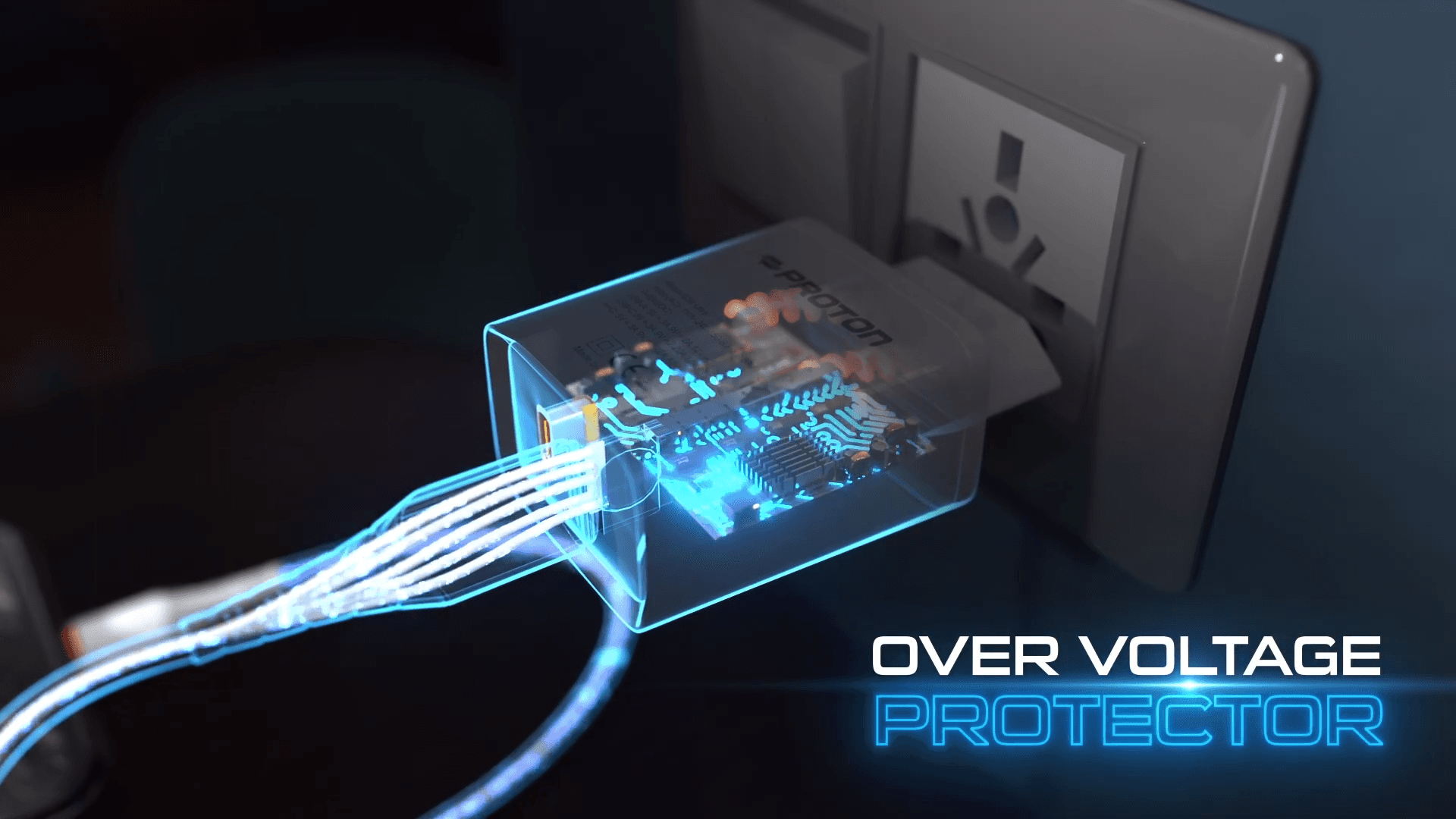
As a 3D animation studio in Bangladesh, we see this a lot with electronics. The story isn't just the plastic shell; it's the engineering inside. We decided the best way to show "safety" wasn't through text on a screen, but by literally looking inside the device. We developed a visual language where the casing dissolves, revealing the internal components working in real-time.
The X-Ray Concept
We didn't want the internals to look messy. Real circuit boards are often cluttered. For this 3D product rendering, we stylized the interior. We turned electricity from a chaotic force into a clean, flowing blue energy.
This "X-ray" approach let us transition from a photoreal living room setting to a stylized tech environment in the same shot. It proves the engineering works without forcing the viewer to read a manual.
Technical Execution
Here is a breakdown of how our team handled the production, from the initial CGI setup to the final delivery.
Used displacement maps for the circuit board
Modeling every single capacitor and copper trace geometry is a nightmare for memory usage. We used high-quality height maps (displacement) on simple planes. This gave us the "infinite circuit" look and kept render times manageable without losing detail in close-ups.Procedural shading for the dissolve
To get the case to fade into that "tech" transparency, we built a custom shader in Blender. We avoided manual keyframing where possible, using procedural textures to drive the transition so the dissolve felt organic rather than linear.Particle systems for energy flow
The glowing blue and gold lines aren't just glow effects slapped on in post. We ran particle simulations along the circuit paths. This meant the light actually interacted with the surrounding 3D geometry, creating realistic reflections on the internal chips.Compositing for control
We didn't try to get the final look 100% in the 3D render. We brought the raw layers into our post-production studio workflow in After Effects. This allowed us to tune the "tech blue" glow intensity and depth-of-field specifically for the text overlays, ensuring the "Slim & Sleek" typography was legible against the busy background.
If you have a complex product that needs a clear explanation, let’s talk. Contact FireDrum Studios to discuss your project.
You can also check out Myself Allen Swapan Intro to get more insights about our workflow.